Guide · Last updated: 2026-11-22
JavaScript error tracking in the browser
Capture uncaught errors and unhandled promise rejections in the browser: crash reporter via script tag (ESM/UMD), releases and source-map upload with curl.
Language: Deutsch
In the browser the worst errors happen where you never see them: on a user's device, in a browser you do not test. The bugd.one crash reporter hooks into the page's global error events, groups identical errors and shows them in the dashboard — in about 3 KB (gzip) with no dependencies.
Prerequisites
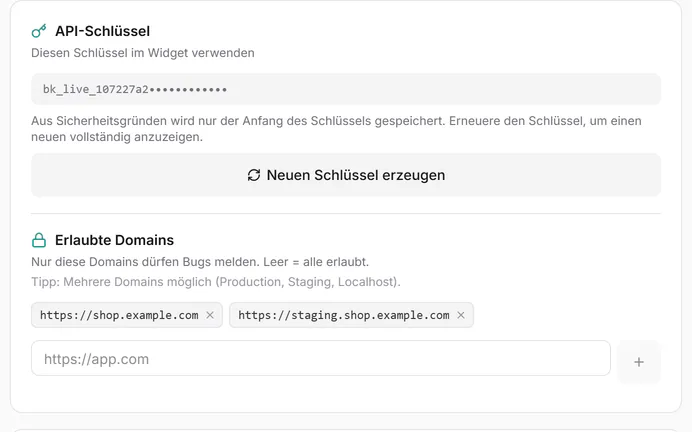
- A bugd.one project and its publishable key (
bk_live_…) under Project → Settings. It can safely live in the frontend. - For source maps additionally the server key (
bk_server_…) and the Pro or Team plan (€9.90 or €29.90 per month including VAT; the 7-day trial counts as Pro). The server key belongs in your CI only, never in the bundle.
Step by step
Step 1: Add the crash reporter
The quickest way is as an ES module straight from bugd.one — no installation:
<script type="module">
  import { initCrashReporter } from 'https://bugd.one/crash-reporter.js'

  initCrashReporter({
    projectKey: 'bk_live_YOUR_PROJECT_KEY',
    release: '1.4.2',
  })
</script>
For older environments without module support there is the UMD build. It exposes all functions on the global object BugdoneCrashReporter:
<script src="https://bugd.one/crash-reporter.umd.js"></script>
<script>
  BugdoneCrashReporter.initCrashReporter({
    projectKey: 'bk_live_YOUR_PROJECT_KEY',
    release: '1.4.2',
  })
</script>
Include the script as early as possible, ideally in the <head>, so errors during app startup are captured too. In bundler projects (Vite, webpack) install the package (npm install @bugdone/crash-reporter) and import initCrashReporter from @bugdone/crash-reporter.
Step 2: Set a release
The release is a free-form string — a version number or Git hash. It appears on every crash, separates errors of different versions and is the key for source maps. In Vite, for example:
import { initCrashReporter } from './vendor/crash-reporter'

initCrashReporter({
  projectKey: import.meta.env.VITE_BUGDONE_KEY,
  release: import.meta.env.VITE_GIT_SHA ?? 'dev',
})
Step 3: Context, users and filters
With defaultContext, getUserId and beforeSend you enrich or filter events:
initCrashReporter({
  projectKey: 'bk_live_YOUR_PROJECT_KEY',
  release: '1.4.2',
  defaultContext: { tier: 'pro' },
  getUserId: () => currentUser?.id,      // hashed with SHA-256 before it leaves the page
  sampleRate: 1,                          // 0.1 = send only 10% of events
  beforeSend: (event) => (event.message.includes('ResizeObserver loop') ? null : event),
})
getUserId fills the “affected users” figure. The raw ID is never sent, only a hash; bugd.one additionally keys it server-side with a per-project secret.
Step 4: Handled errors and React error boundaries
Errors you handle in a catch you report yourself. In React an error boundary does the job:
import { Component, type ErrorInfo, type ReactNode } from 'react'
import { captureException } from './vendor/crash-reporter'

export class CrashBoundary extends Component<{ children: ReactNode }, { hasError: boolean }> {
  state = { hasError: false }
  static getDerivedStateFromError() { return { hasError: true } }
  componentDidCatch(error: Error, info: ErrorInfo) {
    captureException(error, { componentStack: info.componentStack })
  }
  render() { return this.state.hasError ? <p>Something went wrong.</p> : this.props.children }
}

try {
  await checkout(cart)
} catch (err) {
  captureException(err, { feature: 'checkout', step: 'payment' })
}
Without a bundler call BugdoneCrashReporter.captureException(err, { … }) or captureMessage('…') on the UMD global.
Step 5: Upload source maps
Generate source maps in your build (Vite: build: { sourcemap: true }) and upload them in CI after the build. The map's file name must match the bundle, so index-abc123.js.map for index-abc123.js:
for f in dist/assets/*.js.map; do
  curl -fsS -X POST "https://bugd.one/api/v1/sourcemaps" \
    -H "Authorization: Bearer $BUGD_SERVER_KEY" \
    -F "release=1.4.2" -F "filename=$(basename "$f")" -F "file=@$f;type=application/json"
done
The release must match the value in initCrashReporter exactly. The upload needs the server key — the publishable key is rejected with 403 server_key_required, and without an active plan you get 403 plan_required. After an upload, bugd.one also re-symbolicates existing crashes of that release. Limits: 20 MB per file, 500 MB of source maps per project. Instead of curl you can use the bundled Node script cli/bin/bugdone.mjs upload-sourcemaps --release=… --path=dist/ (copy it into your repo as source code; it is not on npm).
Step 6: Test and environments
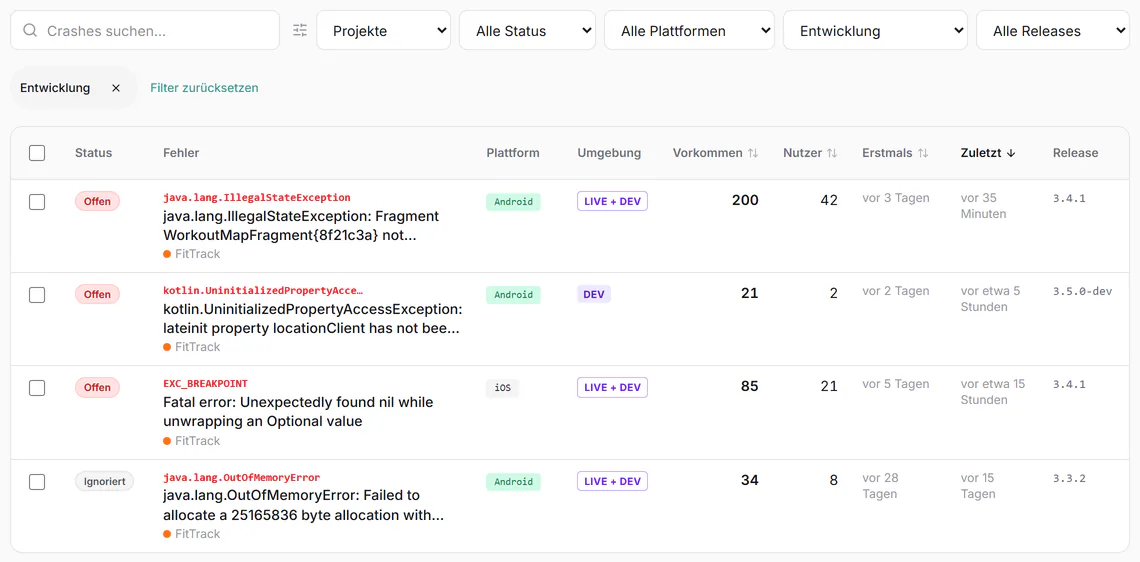
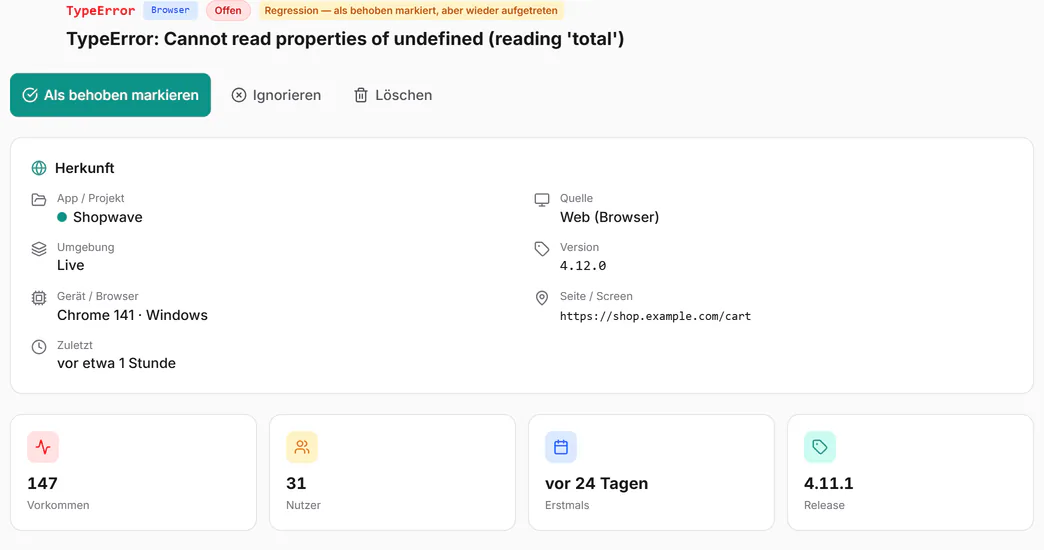
Trigger an error in the browser console tab, for example setTimeout(() => { throw new Error('Test crash') }). After at most 5 seconds (the reporter batches up to 20 events) the crash appears in the dashboard under Crashes.
The reporter detects the environment itself: localhost, 127.0.0.1, *.local, *.test and private IPs count as development, everything else as production. For staging, set it explicitly:
initCrashReporter({
  projectKey: 'bk_live_YOUR_PROJECT_KEY',
  environment: location.hostname.startsWith('staging.') ? 'staging' : undefined,
})
Non-production crashes appear in the dashboard with a DEV marker but trigger no emails, webhooks or Slack/Discord/Teams messages. The project's development mode silences everything when needed.
What gets captured
| Field | Content |
|---|---|
| Message and type | error message (max. 2 KB) and error type, e.g. TypeError |
| Stack trace | up to 30 frames, max. 8 KB; readable with source maps |
| Page | origin and path — without query string and fragment |
| Browser | browser, major version and operating system only, e.g. Chrome 121 (Android) |
| Release, environment | from the configuration or detected automatically |
| User | optional: hashed ID from getUserId |
| Context | defaultContext and your context from captureException |
Before sending, the reporter removes email addresses, JWT-like strings and Bearer tokens as well as values of keys such as token, password or secret. Identical errors within 60 seconds are sent only once; when the user leaves the page it flushes the buffer using fetch with keepalive.
Limits and notes
Quota: Pro 10,000, Team 100,000 crash events per 30 days and project (the trial counts as Pro). Development events count too. For each crash fingerprint and IP, at most 10 events per hour are counted; further ones only raise the group's counter. When the quota is exhausted the API answers with 429 quota_exceeded.
Further reading
- Crash reporting in the documentation: reading a crash, environments, source maps
- Add a bug report button to your website: users report problems themselves, with a screenshot
- bugd.one vs. Sentry: when Sentry is the better choice
- OpenAPI specification and API reference
Frequently asked questions
- Do I need an npm package for the crash reporter?
- No. You can install it from npm (
@bugdone/crash-reporter) or load it with a script tag fromhttps://bugd.one/crash-reporter.js(ES module) orhttps://bugd.one/crash-reporter.umd.js(globalBugdoneCrashReporter). In bundler projects the npm package is the easiest way. - How readable do minified stack traces become?
- With Pro or Team you upload your build's source maps using the server key. If the
releasein the reporter matches the one used for the upload, bugd.one shows the original file and line. Without uploaded source maps stack traces stay minified. - Are errors from development and staging sent too?
- Yes, in the browser
enabledInDevdefaults totrue. Onlocalhost, private IPs and*.local/*.testthe reporter sets the environmentdevelopment: the crash appears in the dashboard with a DEV marker but triggers no emails or webhooks. It does count toward the quota though — withenabledInDev: falseyou do not send it at all. - What about personal data in error messages?
- Before sending, the reporter strips URL query strings, email addresses, JWT/Bearer tokens and values of keys such as
token,passwordorsecret. User IDs fromgetUserIdare hashed with SHA-256. Build further filters withbeforeSend. - Does the reporter also capture `console.error` or network errors?
- No. It captures
window.onerror(uncaught errors) andunhandledrejection, plus anything you report yourself withcaptureExceptionorcaptureMessage. The bug report widget, on the other hand, attaches the latest console errors to a user report.
Related guides
- Add a bug report button to your website — Embed a feedback widget with screenshots, annotation and “My reports” via one script tag — options, environments, privacy link and self-hosting via ZIP.
- Set up React Native crash reporting — Capture unhandled JavaScript errors in React Native apps automatically: setup, environments via __DEV__, source maps and what is not captured.
- bugd.one vs. Sentry: comparison — An objective comparison of bugd.one and Sentry: pricing, EU data storage, features, platforms and self-hosting — with sources, as of October 2026.
Up and running in two minutes
Create an account, add a project, paste your key — all Pro features free for 7 days, no credit card required.