Guide · Last updated: 2026-10-12
Set up React Native crash reporting
Capture unhandled JavaScript errors in React Native apps automatically: setup, environments via __DEV__, source maps and what is not captured.
Language: Deutsch
In React Native most crashes happen in the JavaScript part: an undefined is not an object in a screen, a failed promise in the login flow. React Native routes such errors to a global handler — in debug builds you get the red screen, in release builds the app exits. bugd.one hooks in exactly there.
Prerequisites
- A bugd.one project and its publishable key (
bk_live_…, under Project → Settings). The key can safely live in the app. - A React Native app (CLI or Expo). Crash capture needs no native module.
- The bugd.one React Native SDK from npm:
@bugdone/react-native. If you want no third-party code at all, send errors straight over REST (see below).
Step by step
Step 1: Install the SDK
npm install @bugdone/react-nativeCrash capture alone needs no further dependency. Only if you also use the report form for bug reports, install the public community library react-native-webview:
npm install react-native-webview
cd ios && pod install
Crash capture is a separate import (crash.ts). Apps that only use the form do not load it.
Step 2: Start capturing as early as possible
Call initCrashCapture at the very top of your entry point (index.js or App.tsx), before screens load:
// index.js
import { AppRegistry } from 'react-native'
import { initCrashCapture } from '@bugdone/react-native/crash'
import App from './App'
import { name as appName } from './app.json'

initCrashCapture({
  projectKey: 'bk_live_YOUR_PROJECT_KEY',
  release: '1.4.2',        // your app version
  // environment: 'staging', // otherwise automatic: __DEV__ → development
  // enabledInDev: true,     // also capture Metro/debug builds
})

AppRegistry.registerComponent(appName, () => App)
initCrashCapture registers a global handler through ErrorUtils.setGlobalHandler. The previous handler is called afterwards, so your app's behavior (red screen in debug, exit in release) does not change. For a fatal error the SDK sends immediately instead of waiting for the next batch cycle.
Step 3: Report handled errors and add context
import { captureException, captureMessage, setRelease } from '@bugdone/react-native/crash'

async function submitOrder(cart: Cart) {
  try {
    await api.post('/orders', cart)
  } catch (error) {
    captureException(error, { feature: 'checkout', items: cart.items.length })
    throw error
  }
}

captureMessage('Payment provider not responding', { provider: 'stripe' })
setRelease('1.4.3') // e.g. after an OTA update
With beforeSend you can modify or drop events, for example errors from a known third-party module:
initCrashCapture({
  projectKey: 'bk_live_YOUR_PROJECT_KEY',
  release: '1.4.2',
  defaultContext: { store: 'play' },
  beforeSend: (event) => (event.message.includes('Network request failed') ? null : event),
})
Step 4: Test it
Add a test button, for example <Button title="Crash" onPress={() => { throw new Error('Test crash') }} />, and run a release build (npx react-native run-android --mode release, or the release scheme in Xcode). In debug builds temporarily set enabledInDev: true. After a few seconds the crash appears under Crashes in the dashboard.
Step 5: Environments and notifications
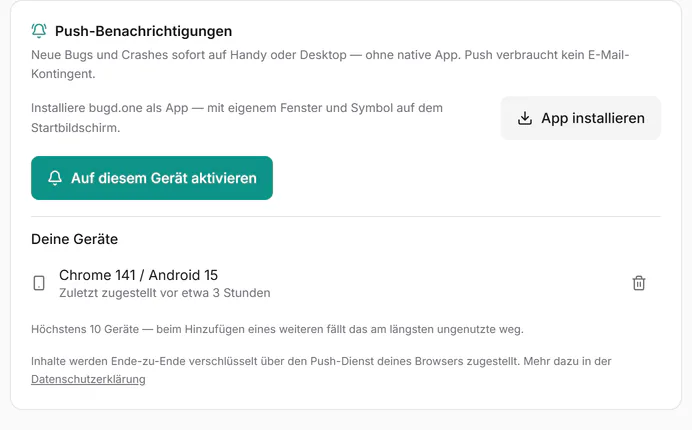
__DEV__ is true in Metro and debug builds — then the SDK sets the environment development, otherwise production. For staging builds, override it with environment: 'staging'. Non-production events appear in the dashboard with a DEV marker but trigger no emails, webhooks or chat messages. A new crash type in production reaches you by email and — if you set it up — by web push on your phone or desktop.
What gets captured
| Field | Content |
|---|---|
| Message and type | error.message (max. 2,000 characters) and error.name |
| Stack trace | first 30 lines, max. 8 KB |
| Platform | rn |
| Device | e.g. RN android 15 (SDK 35) · Google Pixel 9 or RN ios 18.0 |
| Release, environment | from the configuration or __DEV__ |
| Context | isFatal, defaultContext, your own context |
bugd.one groups identical errors by a fingerprint. In the dashboard you see occurrences, first and last seen, release and environment per group; a recurring error that was already fixed is reopened as a regression. The SDK combines up to 10 events or sends after 5 seconds, and drops identical errors within 60 seconds.
Limits and notes
Without the SDK: plain REST
You can also write the capture yourself in a few lines — the SDK uses the same interface:
const KEY = 'bk_live_YOUR_PROJECT_KEY'

function reportCrash(error: unknown, isFatal?: boolean) {
  const err = error instanceof Error ? error : new Error(String(error))
  return fetch('https://bugd.one/api/v1/crashes', {
    method: 'POST',
    headers: { 'Content-Type': 'application/json', 'X-API-Key': KEY },
    body: JSON.stringify({
      message: err.message.slice(0, 2000),
      stack: (err.stack ?? err.message).slice(0, 50000),
      type: err.name,
      platform: 'rn',
      release: '1.4.2',
      environment: __DEV__ ? 'development' : 'production',
      context: { isFatal: !!isFatal },
    }),
  }).catch(() => undefined)
}

const previous = ErrorUtils.getGlobalHandler()
ErrorUtils.setGlobalHandler((error, isFatal) => {
  void reportCrash(error, isFatal)
  previous(error, isFatal)
})
Required fields are message, stack and platform. Optionally send user_id (best a hash) so bugd.one can count affected users. Details: API reference · OpenAPI.
Further reading
- Crash reporting in the documentation
- Send bug reports from your own app via REST API: your own report form with status and replies
- Mobile integration: the
/embedform in a WebView
Frequently asked questions
- Does the React Native SDK also capture native crashes?
- No. It captures unhandled JavaScript errors through ErrorUtils.setGlobalHandler (and, where the runtime offers it, unhandled promise rejections). Crashes in Java/Kotlin or Objective-C/Swift code and in native modules are not captured.
- Does it work with Expo?
- Crash capture only uses JavaScript APIs of React Native (
ErrorUtils,Platform,fetch) and needs no native module. The optional report form requiresreact-native-webview. - Why do no crashes arrive in Metro debug mode?
- When
__DEV__ === truecapturing is off by default andinitCrashCaptureonly writes a hint to the console. WithenabledInDev: trueerrors are sent asdevelopment— visible in the dashboard, but without emails or webhooks. - Do source maps make the stack traces readable?
- bugd.one symbolicates stack frames of the form
file.js:line:column. The default React Native bundles are calledindex.android.bundleandmain.jsbundle— frames like these are currently not symbolicated. Expect minified stack traces in release builds. - Are errors cached while offline?
- No. Without a network the events are dropped. For a fatal error the SDK tries to send immediately, before the JavaScript context ends.
Related guides
- Flutter crash reporting without Firebase — Capture, group and get notified about Dart and Flutter errors automatically — with the bugd.one Flutter SDK, EU-hosted, no Firebase project needed.
- JavaScript error tracking in the browser — Capture uncaught errors and unhandled promise rejections in the browser: crash reporter via script tag (ESM/UMD), releases and source-map upload with curl.
- Send bug reports from your own app via REST API — Your own report form, bugd.one as the backend: send reports via POST, store the reporter token, fetch status and replies, badge counts via status batch.
Up and running in two minutes
Create an account, add a project, paste your key — all Pro features free for 7 days, no credit card required.