Guide · Last updated: 2026-11-22
Flutter crash reporting without Firebase
Capture, group and get notified about Dart and Flutter errors automatically — with the bugd.one Flutter SDK, EU-hosted, no Firebase project needed.
Language: Deutsch
Flutter already gives you every hook you need to catch errors — FlutterError.onError and PlatformDispatcher.instance.onError — what is missing is a place where they are collected, grouped and reported. Many teams reach for Firebase Crashlytics. If you do not want a Firebase project or want to keep your data in the EU, bugd.one does the same job: errors arrive grouped in the dashboard, and a new crash type reaches your phone as a web push.
Prerequisites
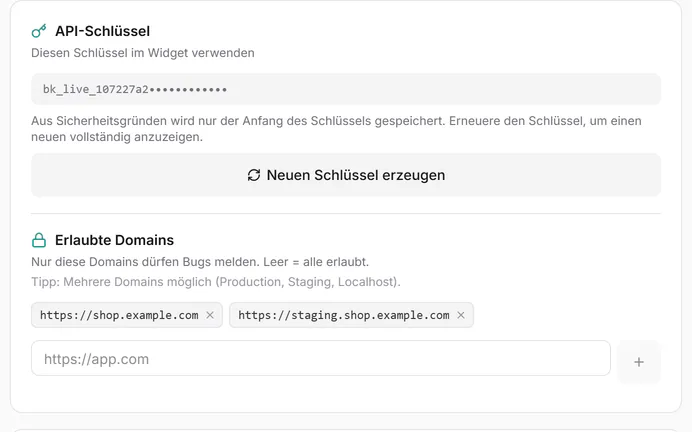
- A bugd.one account (the free trial is enough to try it) and a project. You find the publishable key (
bk_live_…) under Project → Settings. It is safe to ship in your app. - Flutter 3.10 or newer, targeting Android, iOS or desktop. The SDK uses
dart:ioto send events, so Flutter Web is not supported by the SDK; for web use the browser crash reporter or the REST approach below withpackage:http. - The bugd.one Flutter SDK as source code (folder
bugdone). It is not published on pub.dev. If you prefer not to add third-party code, use the section Without the SDK: plain REST.
Step by step
Step 1: Add the SDK as a local package
Put the SDK folder next to your app, for example in packages/bugdone, and add it as a path dependency:
# pubspec.yaml
dependencies:
  flutter:
    sdk: flutter
  bugdone:
    path: packages/bugdone
Then run flutter pub get. The package pulls in url_launcher, http and image_picker — you only need those for the optional report form, not for crash capture itself.
Step 2: Configure the SDK at startup
Bugdone.configure must run before crash capture, because sending reads the key and host from that configuration. Without configuration, captured errors are dropped.
import 'package:flutter/material.dart';
import 'package:bugdone/bugdone.dart';
import 'package:bugdone/bugdone_crash.dart';

void main() {
  Bugdone.configure(
    projectKey: 'bk_live_YOUR_PROJECT_KEY',
    // optional: environment: 'staging',  // otherwise detected via kDebugMode
  );

  BugdoneCrashCapture.runWithCapture(
    () => runApp(const MyApp()),
    release: '1.4.2',      // your app version, shown on each crash
    enabledInDev: false,   // true = also capture debug builds (as "development")
  );
}
runWithCapture installs three error sources at once: FlutterError.onError (framework errors, for example while building widgets), PlatformDispatcher.instance.onError (asynchronous errors outside the framework) and a runZonedGuarded zone around runApp. A previously set FlutterError.onError handler keeps being called.
Step 3: Own main() logic? Use install() instead of runWithCapture
If you already build main() yourself with runZonedGuarded or a custom bootstrap, install only the global handlers:
Future<void> main() async {
  WidgetsFlutterBinding.ensureInitialized();
  Bugdone.configure(projectKey: 'bk_live_YOUR_PROJECT_KEY');
  BugdoneCrashCapture.install(release: '1.4.2');
  // … your bootstrap (Firebase-free initialization, DI, …)
  runApp(const MyApp());
}
install() covers FlutterError.onError and PlatformDispatcher.instance.onError. For errors in a zone you created yourself, forward them from its onError with BugdoneCrashCapture.captureException(error, stack).
Step 4: Report handled errors yourself
Not every error is a crash. Errors you handle in a catch but still want to see are reported manually — optionally with context:
try {
  await checkout(cart);
} catch (error, stack) {
  BugdoneCrashCapture.captureException(error, stack, {'feature': 'checkout'});
  showErrorSnackbar();
}

// Without an exception, for example for unexpected states:
BugdoneCrashCapture.captureMessage('Cart empty during checkout');
Step 5: Test it
Add a deliberate error, such as a button with onPressed: () => throw StateError('Test crash'), and run the app in release or profile mode (flutter run --release). In debug mode, temporarily set enabledInDev: true. The SDK collects errors for up to 5 seconds (or 10 events) and then sends them — shortly afterwards the crash appears in the dashboard under Crashes.
Step 6: Set up environments and notifications
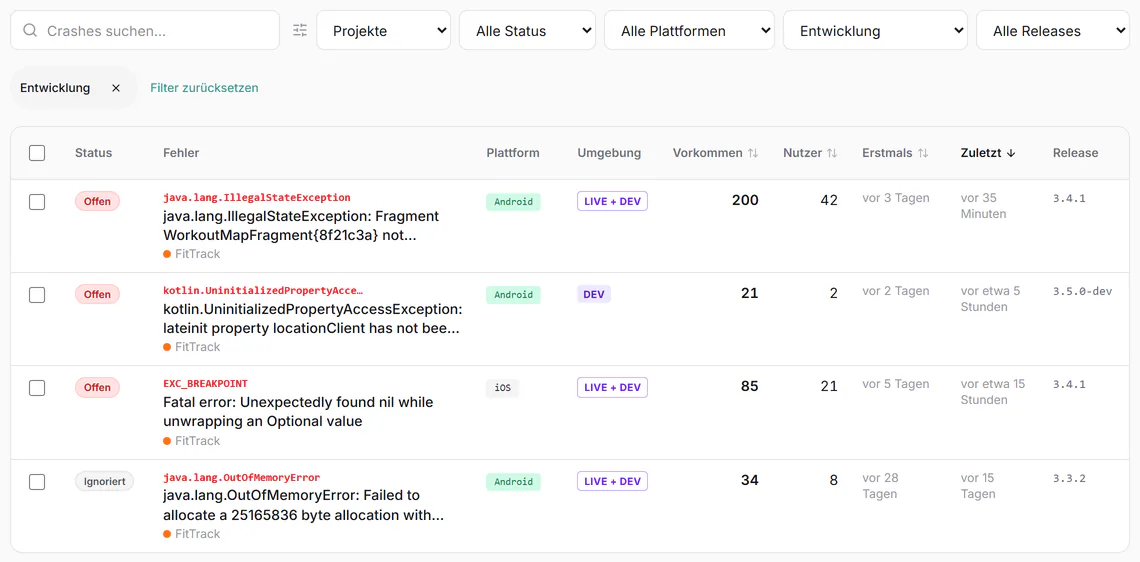
Every event carries an environment. By default kDebugMode means development, profile and release builds mean production. For staging builds, set the value explicitly, for example with --dart-define:
// flutter run --release --dart-define=BUGDONE_ENV=staging
const env = String.fromEnvironment('BUGDONE_ENV');
Bugdone.configure(
  projectKey: 'bk_live_YOUR_PROJECT_KEY',
  environment: env.isEmpty ? null : env, // null = automatic
);
Everything except production appears in the dashboard with a DEV marker but triggers no emails, webhooks or Slack/Discord/Teams messages. You can enable web push for development events per device. While an app is not released yet, switch on development mode in the project — then the whole project stays quiet.
What gets captured
| Field | Content |
|---|---|
| Message | error.toString(), max. 2,000 characters |
| Type | runtime type, e.g. StateError, FlutterError |
| Stack trace | first 30 lines, max. 8 KB |
| Platform | flutter |
| Environment | development or production (or your own value) |
| Release | the value from release: |
| Device | operating system and version, e.g. Flutter android … (max. 80 characters) |
| Context | source (FlutterError, PlatformDispatcher, zone), library, your own context |
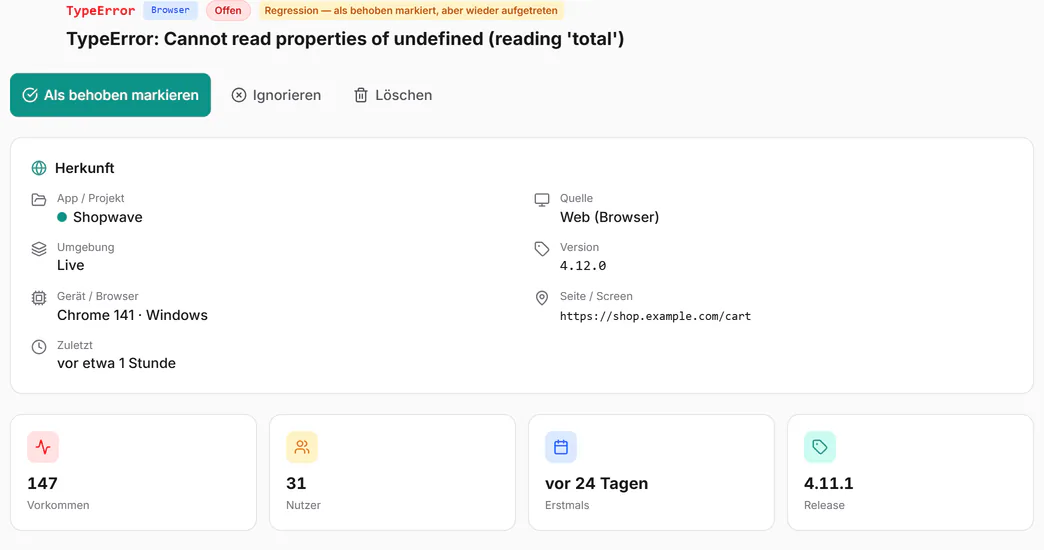
bugd.one groups identical errors using a fingerprint (type, message, top stack frames). You see occurrences, first and last seen, release and environment. If a crash you marked as fixed occurs again, bugd.one reopens it as a regression. The SDK itself already sends identical errors only once within 60 seconds.
Limits and notes
Development events count toward the quota as well (Pro: 10,000 crash events per 30 days and project). For each crash fingerprint and IP, at most 10 events per hour are counted — further ones only raise the group's counter.
Without the SDK: plain REST
You do not want third-party source code in your project? Then Flutter's own hooks and one HTTP call to POST /api/v1/crashes are enough. This also works in Flutter Web because it uses package:http instead of dart:io:
import 'dart:convert';
import 'dart:ui';
import 'package:flutter/foundation.dart';
import 'package:flutter/material.dart';
import 'package:http/http.dart' as http;

const _bugdoneKey = 'bk_live_YOUR_PROJECT_KEY';
const _release = '1.4.2';

String _cut(String s, int max) => s.length > max ? s.substring(0, max) : s;

Future<void> reportCrash(Object error, StackTrace? stack) async {
  try {
    await http.post(
      Uri.parse('https://bugd.one/api/v1/crashes'),
      headers: {'X-API-Key': _bugdoneKey, 'Content-Type': 'application/json'},
      body: jsonEncode({
        'message': _cut(error.toString(), 2000),
        'stack': _cut((stack ?? StackTrace.current).toString(), 50000),
        'type': error.runtimeType.toString(),
        'platform': 'flutter',
        'release': _release,
        'environment': kDebugMode ? 'development' : 'production',
      }),
    );
  } catch (_) {
    // offline: drop
  }
}

void main() {
  WidgetsFlutterBinding.ensureInitialized();
  FlutterError.onError = (details) {
    reportCrash(details.exception, details.stack);
    FlutterError.presentError(details);
  };
  PlatformDispatcher.instance.onError = (error, stack) {
    reportCrash(error, stack);
    return true;
  };
  runApp(const MyApp());
}
Optionally send a user_id — best a hash of your own user ID. bugd.one additionally pseudonymizes the value with a per-project HMAC key and uses it to count affected users. Required fields are message, stack and platform; the full description is in the API reference and the OpenAPI specification.
Further reading
- Crash reporting in the documentation: reading a crash, environments, source maps
- Mobile integration: the report form (
/embed) for bug reports from your users - bugd.one vs. Firebase Crashlytics: when Crashlytics is the better choice
Frequently asked questions
- Does bugd.one also capture native crashes in Flutter apps?
- No. The Flutter SDK captures Dart and Flutter errors (FlutterError.onError, PlatformDispatcher.onError and errors in the runApp zone). Crashes of the Flutter engine, of platform plugins written in Kotlin/Swift, or of NDK code are not captured.
- Why do I not see crashes from my debug build?
- In debug builds (
kDebugMode) capturing is off by default. SetenabledInDev: trueinrunWithCaptureand the errors show up in the dashboard with the environmentdevelopment— without triggering emails or webhooks. - Do I need a Firebase project or Google services?
- No. The SDK sends errors over HTTPS straight to bugd.one. There is no dependency on Firebase or Google Play Services.
- Is the SDK available on pub.dev?
- No, the bugd.one Flutter SDK is available as source code and is added as a local package (
path:dependency). Alternatively you can send errors without any SDK toPOST /api/v1/crashes— an example is in this guide. - What does it cost?
- Pro (€9.90/month) includes 10,000 crash events per 30 days and project, Team (€29.90/month) 100,000 — all prices include VAT. New accounts try Pro free for 7 days.
Related guides
- Set up React Native crash reporting — Capture unhandled JavaScript errors in React Native apps automatically: setup, environments via __DEV__, source maps and what is not captured.
- Android crash reporting without Crashlytics — Capture Kotlin/JVM crashes in Android apps without Firebase: Bugdone.configure, enableCrashCapture, environments and limits (no NDK, no ANR).
- bugd.one vs. Firebase Crashlytics: comparison — An objective comparison of bugd.one and Firebase Crashlytics: cost, data processing, native crashes, platforms and user feedback — with sources, as of October 2026.
Up and running in two minutes
Create an account, add a project, paste your key — all Pro features free for 7 days, no credit card required.